
Before you write a page, you need to know which searches it should capture. There is no shortage of tools for that, their prices change often, and part of search now happens in ChatGPT, Gemini and Google's AI Mode, where no tool gives you a search volume.
In this article we compare 12 keyword research tools: what each one does, its free tier, its entry price as listed on the official pricing page on October 6, 2026, and who we'd recommend it to. We finish with what changes now that AI engines answer the question, and how we work at Digidop.
Originally published in 2023, fully updated on October 6, 2026.
The comparison at a glance
Entry prices checked on October 6, 2026 on each vendor's official site (pricing page, or help pages and FAQ where noted). Monthly prices are for monthly billing unless stated otherwise. Vendors adjust the currency to your country; prices here are the US dollar prices published by each vendor.
| Tool | Free tier | Entry price | Best for |
|---|---|---|---|
| Google Search Console | yes, fully free | free | seeing the queries your site already shows up for |
| Google Keyword Planner | yes, with a Google Ads account | free | search volumes, PPC keywords |
| Google Trends | yes | free | seasonality, comparing two terms |
| Semrush | yes, 10 reports a day | $139.95/mo (SEO Toolkit) | a complete SEO suite |
| Ahrefs | yes, on your own site | $29/mo (Starter) | competitor and backlink research |
| SE Ranking | 14-day trial | $129/mo (Core) | rank tracking, agencies |
| Ubersuggest | yes, limited searches | from $29/mo, or a lifetime license | small budgets |
| KWFinder (Mangools) | yes, 5 lookups per 24 h | $49/mo (Basic) | low-competition long-tail keywords |
| Moz Keyword Explorer | yes, free keyword tool | $49/mo (entry plan) | quick keyword checks, small sites |
| AnswerThePublic | yes, limited searches | $20/mo, or $13.33/mo billed yearly (Starter) | the questions people ask |
| Keyword Surfer | fully free | free | volumes shown right in Google |
| Text Optimizer | 7-day trial | $60/mo (Pro) | covering the vocabulary of a topic |
Google's free tools
1. Google Search Console: your real queries
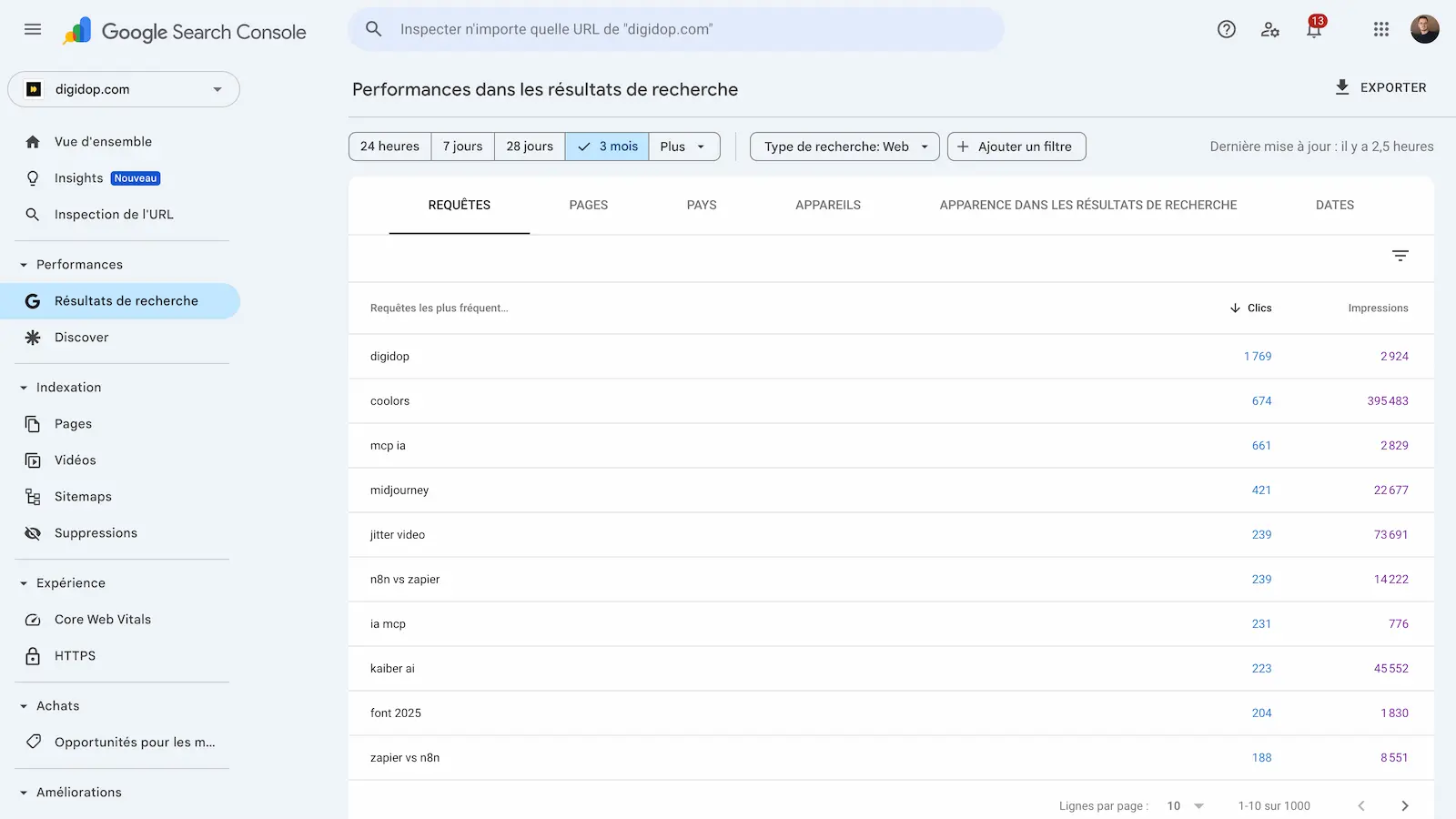
Google Search Console is a free service from Google. It is the only tool on this list that shows the queries your site already appears for, with impressions, clicks and average position. That is where the best opportunities are: queries with plenty of impressions where you sit on page two or three.
New in 2026: a generative AI performance report for AI Overviews and AI Mode, rolled out to all websites as of August 31, 2026 according to Search Console Help. It shows impressions by page, country, date and device, but no queries and no clicks.
2. Google Keyword Planner: volumes and PPC
Google describes Keyword Planner as a free resource. You need a Google Ads account, and Google Ads Help states that you must enter your billing information to use basic features such as "Get ideas for new keywords". It gives you monthly search volumes, keyword ideas from a term or a URL, and bid estimates. It is the starting point for any search ads campaign.
3. Google Trends: seasonality
Google Trends does not give volumes. Each data point is scaled from 0 to 100, relative to all searches in that place and time range. Use it to spot a seasonal peak, compare two phrasings or check whether a topic is growing. We explain our method in how to use Google Trends for SEO.
All-in-one SEO suites
4. Semrush
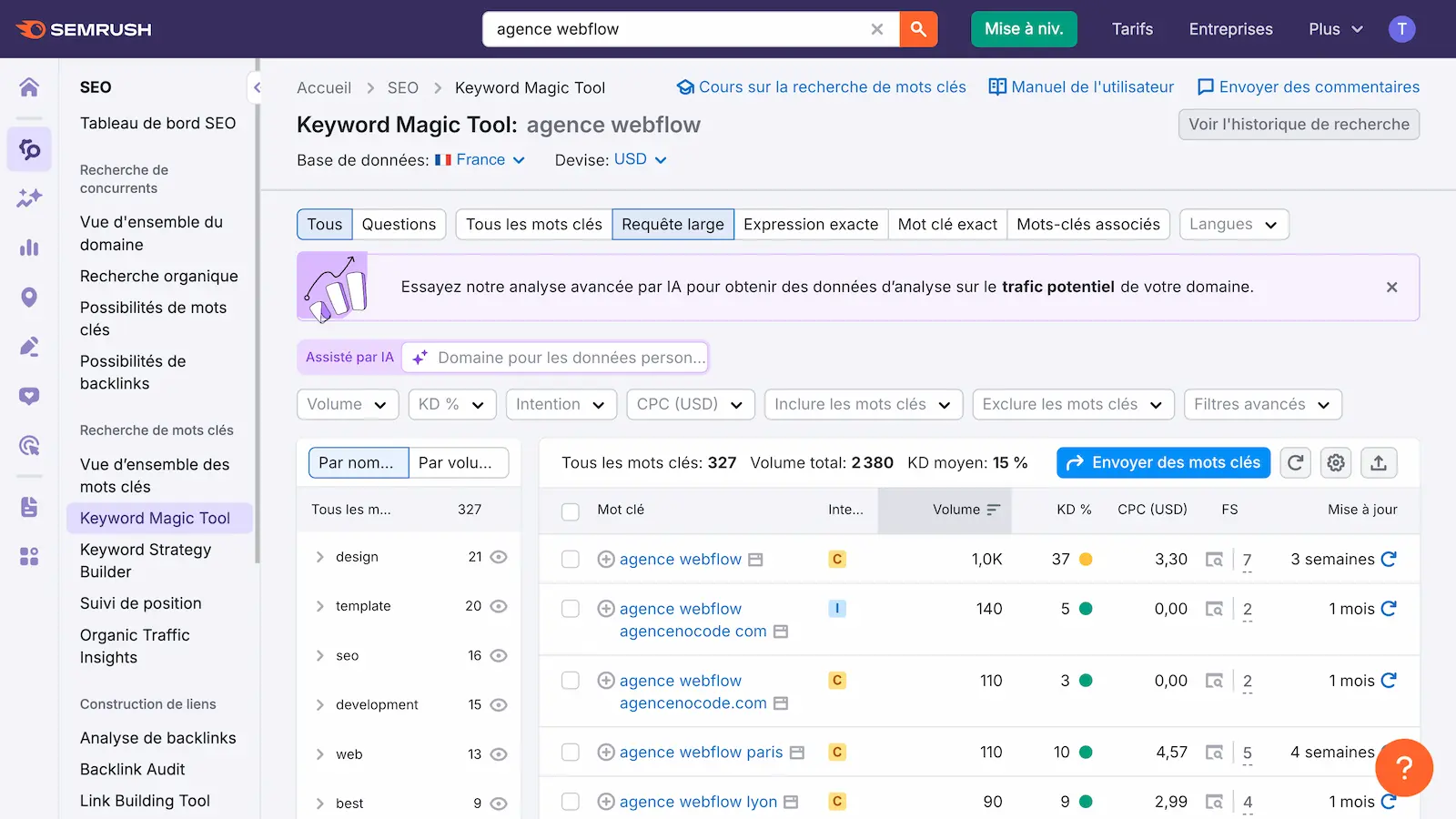
Semrush covers keyword research (Keyword Magic Tool), competitor research, rank tracking and site audits. PPC research (competitors' ads) sits in a separate Advertising toolkit. Its pricing page offers a free plan with 10 reports a day. The SEO Toolkit starts at $139.95 a month according to Semrush's knowledge base. The SEO + AI Search plans add tracking of 50 prompts a day in AI engines.
5. Ahrefs
Ahrefs is best known for its backlink index, and its Keywords Explorer gives volume, difficulty and search intent. Its pricing has changed: Ahrefs Free gives limited access to Site Explorer and Site Audit on your own site, Starter at $29 a month covers keyword research and competitor lookups, and the full suite starts at $129 a month (Lite). On the AI side, Lite tracks 5 prompts, Brand Radar is included from the Standard plan ($249 a month) and is also sold on its own from $199 a month.

6. SE Ranking
SE Ranking combines keyword research, daily rank tracking, site audits and competitor research. According to its FAQ, the Core plan costs $129 a month ($103.20 a month billed annually), with a 14-day free trial and no credit card. The pricing page lists prompt tracking on Core, plus a paid AI Search add-on covering AI Overviews, AI Mode, ChatGPT and Perplexity.
Affordable and specialist tools
7. Ubersuggest
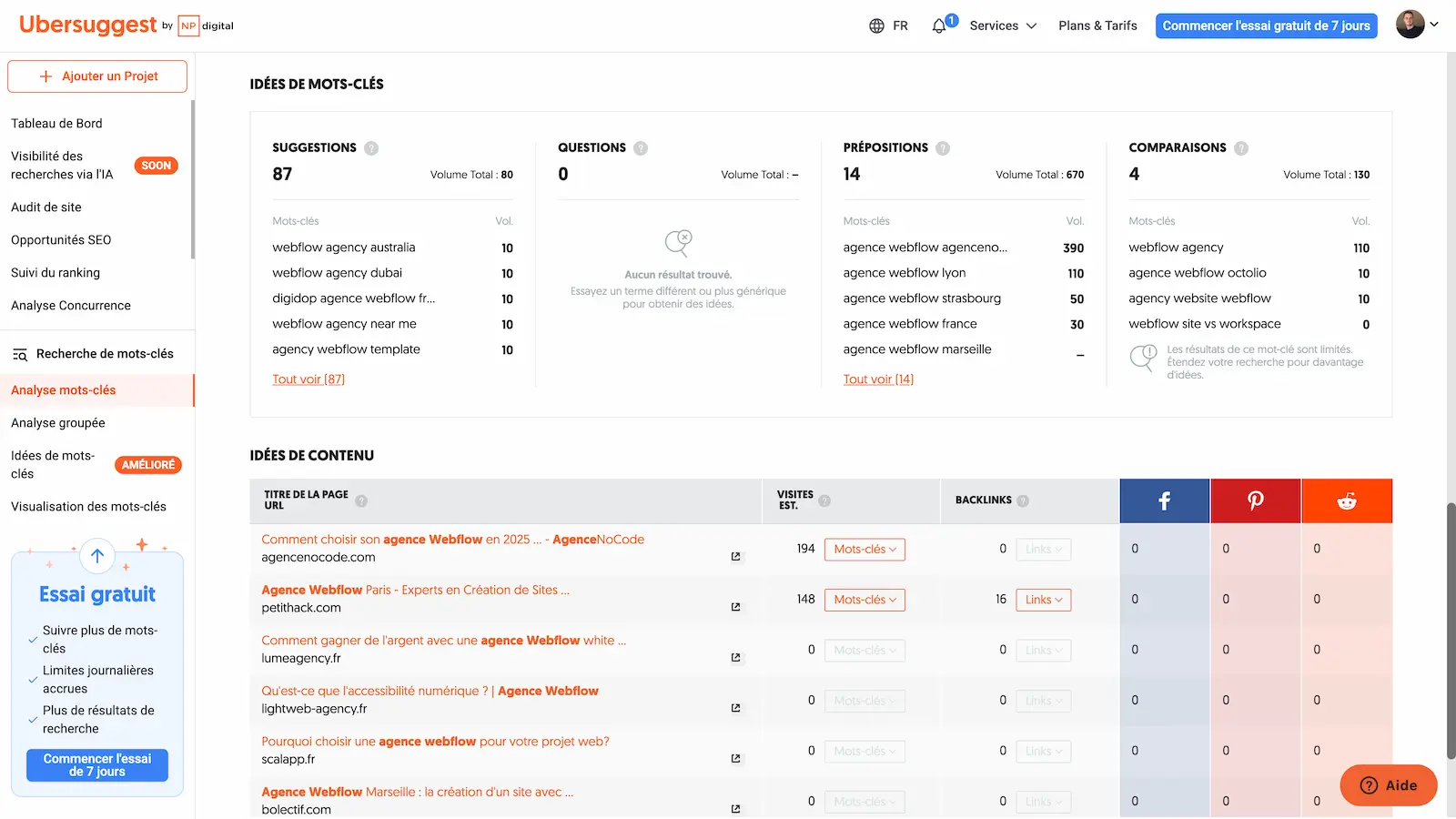
Ubersuggest, Neil Patel's tool, is still the easiest to pick up. The free version allows a few searches, and the pricing page lists plans from $29 to $99 a month, plus a one-time lifetime license and a 7-day free trial on monthly subscriptions.
8. KWFinder (Mangools)
KWFinder is built to find low-competition long-tail keywords, with a very readable difficulty score. The free account gives you 5 lookups per 24 hours. The Mangools Basic plan, which includes KWFinder, costs $49 a month ($29.90 a month billed annually). Mangools has also added an AI tracking module, AI Search Watcher.
9. Moz Keyword Explorer
Moz Keyword Explorer has a free version for quick checks. On the Moz Pro pricing page, the entry-level plan is $49 a month for a single website, and Standard is $99 a month ($79 billed yearly). Standard already includes 150 tracked prompts across ChatGPT, Gemini, Google AI Mode and Perplexity, checked weekly.
10. AnswerThePublic
AnswerThePublic maps the questions people ask around a keyword (how, why, which, versus…). The free version allows a few searches a day. The Starter plan is $20 a month, or $13.33 a month billed yearly, and now includes prompt suggestions.
11. Keyword Surfer
Keyword Surfer is a free Chrome extension from Surfer that shows volumes and keyword ideas right in Google's results. It is still maintained: last updated on January 29, 2026 on the Chrome Web Store. Handy for a quick check, not for building a strategy.
12. Text Optimizer
Text Optimizer works on the text rather than on volumes: it analyzes a page and suggests the words missing to cover the vocabulary of a query, with a question search. Useful while writing. The Pro plan is $60 a month, with a 7-day trial.
Google Keyword Planner vs Ahrefs: which one should you use?
This is the most searched comparison among the queries that lead to this article. The two tools do different jobs.
| Unlabeled column | Google Keyword Planner | Ahrefs |
|---|---|---|
| Price | free, with a Google Ads account | from $29/mo (Starter) |
| Data source | Google Ads | Ahrefs' own keyword and link databases |
| SEO keyword difficulty | no | yes |
| Competitor keywords | ideas from a URL | keywords it ranks for and the pages that get the traffic |
| Built for | search ads | SEO and content |
Our take: start with Keyword Planner and Search Console. Move to Ahrefs (or Semrush) the day you need to know who ranks for a query and with which pages. The same logic applies to Moz Keyword Explorer, which also gives a difficulty score that Keyword Planner doesn't.
Keyword research in the age of AI answers
The way people search has changed. In ChatGPT, Gemini or Google's AI Mode, people type "keyword tool" less and ask a full question with context. We can see it in this article's own Search Console: between July and September 2026, it appeared for queries such as "can you recommend a keyword research tool that offers seo competition analysis?" or "could you suggest a keyword research tool that integrates well with my existing seo software?". Those queries look like prompts.
First consequence: no tool gives you the volume of a prompt. Even Search Console only shows impressions per page for Google's AI features, without the queries.
Second consequence: SEO suites now sell prompt tracking. Semrush, Ahrefs, SE Ranking, Moz and Mangools regularly run a list of questions through AI engines and tell you whether your brand is cited, and from which sources. That is the new column to look at in any comparison.
What we do at Digidop
We keep classic keyword research for Google and add a list of questions. As Florian Bodelot explains in our guide to getting visible in ChatGPT and Perplexity, the best way to find those questions is still to sit in on sales calls: write down the questions prospects actually ask, then answer them in your content.
To measure, we track our own prompts with a tool developed with Vydera, country by country. Based on our internal tracking, across the 18 prompts tracked in France between September 5 and October 4, 2026, Digidop had a 31.4% citation rate, the highest of the Webflow agencies tracked.
What we take from it, in four steps:
- Start with Search Console: long, question-like queries that already show your pages.
- Add the questions you hear in sales calls and in AnswerThePublic.
- Check volume and competition for the short queries in Keyword Planner, Semrush, Ahrefs or KWFinder.
- Turn the questions into a list of prompts to track over time, with the tool of your choice.
Want your site to rank on Google and get cited by AI? Book a call
Which tool fits your situation
| Your situation | Our recommendation |
|---|---|
| You're starting out with no budget | Search Console, Keyword Planner, Trends, Keyword Surfer |
| You do both SEO and PPC | Semrush, with its Advertising toolkit |
| You mainly want to research competitors | Ahrefs |
| You track many rankings across several sites | SE Ranking |
| Small budget, occasional need | Ubersuggest, KWFinder or Moz |
| You also want to track your visibility in AI answers | A suite with prompt tracking (Semrush, Ahrefs, SE Ranking) |
Our take
A suite at more than $100 a month only makes sense if you use more than its keyword tool: rank tracking, competitor research, site audits. For a B2B site publishing two articles a month, Search Console plus a tool under $60 is plenty. The money is better spent on content.
On the other hand, a keyword tool no longer tells the whole story. Some of your future customers ask an AI and never see a results page. If your brand isn't cited in those answers, no search volume will flag it. That's why we track prompts as well as keywords. For SEO and AI visibility, we work with our partner agency Vydera, an AI-native visibility agency.
Frequently asked questions
What is the best free keyword research tool?
Google Search Console, because it shows the real queries your site appears for. Add Keyword Planner for volumes, Google Trends for seasonality and Keyword Surfer for quick checks in Google. Semrush, Ahrefs, KWFinder, Moz and Ubersuggest also have free tiers, limited in number of searches.
What are the best Google Keyword Planner alternatives?
For SEO, Ahrefs, Semrush or SE Ranking if you need competitor data and keyword difficulty; KWFinder, Moz or Ubersuggest on a smaller budget. Keyword Planner stays the reference for search ads volumes and bids.
How do you research competitor keywords?
You need a paid suite: Semrush, Ahrefs or SE Ranking. Enter the competitor's domain and you get the keywords it ranks for and the pages that bring it traffic. Keyword Planner only gives ideas from a URL, without rankings.
Which tool should I use to track my rankings on Google?
Search Console gives you a free average position. For daily tracking by keyword, device or city, you need a dedicated tool: SE Ranking, Semrush or Ahrefs. We compare three of them in our article on rank tracking.
Can AI tools replace keyword research tools?
No, but they change their role. Keyword tools remain the source of volume and difficulty data for Google. AI engines publish no volumes: there you work with lists of questions and prompt tracking. To understand what that changes, read our article on GEO.
How much should I budget?
Nothing to start with Google's tools. Between $20 and $60 a month for an entry-level tool (AnswerThePublic, Ahrefs Starter, Mangools, Moz, Ubersuggest, Text Optimizer). Over $100 a month for a full suite with rank tracking, and more if you add AI prompt tracking.

